Download
Echo Room
(beta version)
This is the first version of Echo Room: built fast, launched early, and improving constantly. It will have minor (or major) bugs, but the good news is that you can shower us with feedback and feature requests.

(beta version)
How to Download
You won't find Echo Room in the App Store or Google Play yet, but you can install it right now by adding it to your home screen through your browser. It works just like a native app: full screen, home screen icon, and notifications for when friends log a visit, send a friend request, or when your echo check is due. There will be no spamming of any kind, unless you have too many overly active friends.
We'll be in the stores soon. In the meantime, the instructions below will get you set up in about thirty seconds.
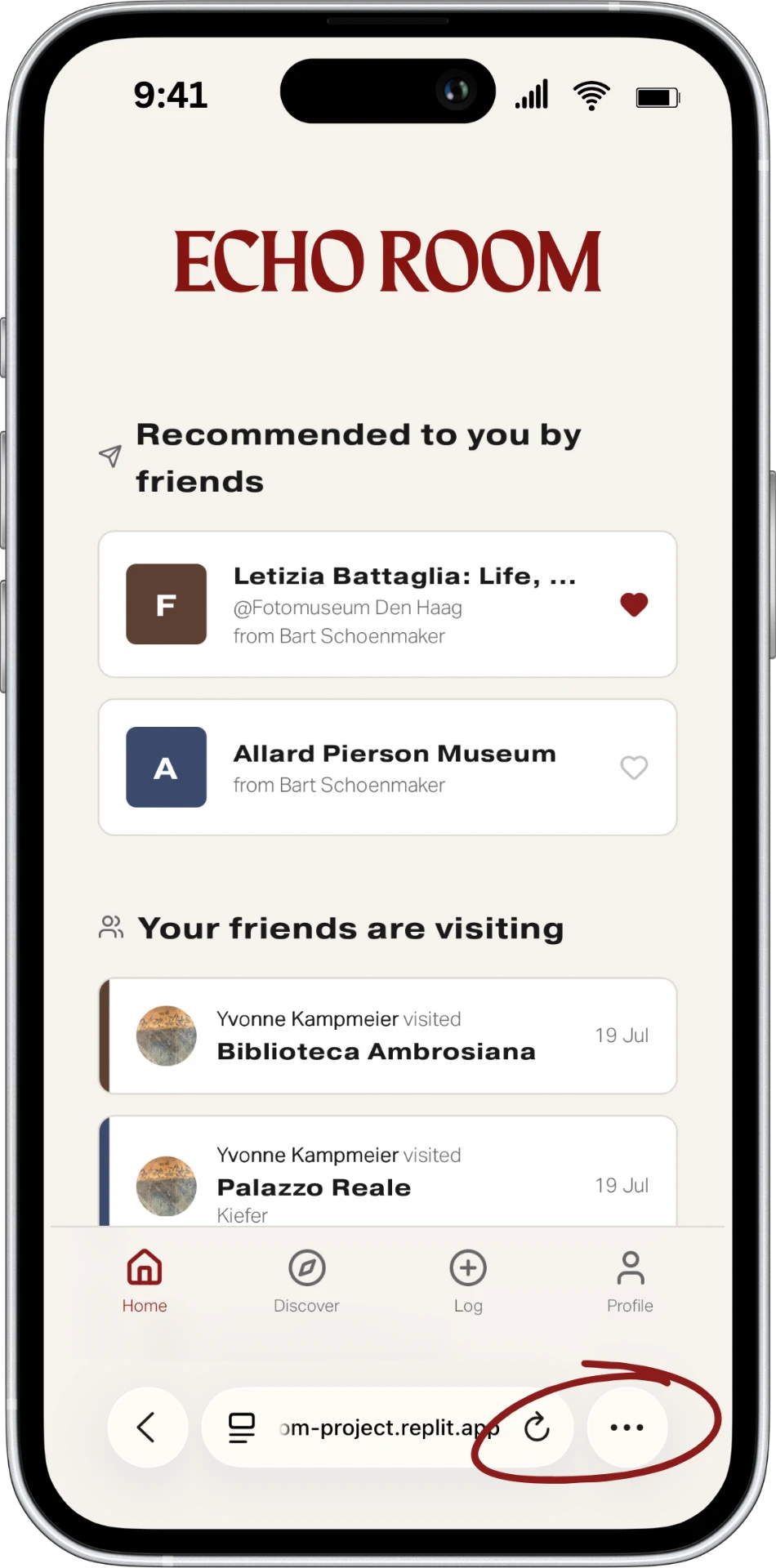
Add to Homescreen with Safari
1
click on
the three dots
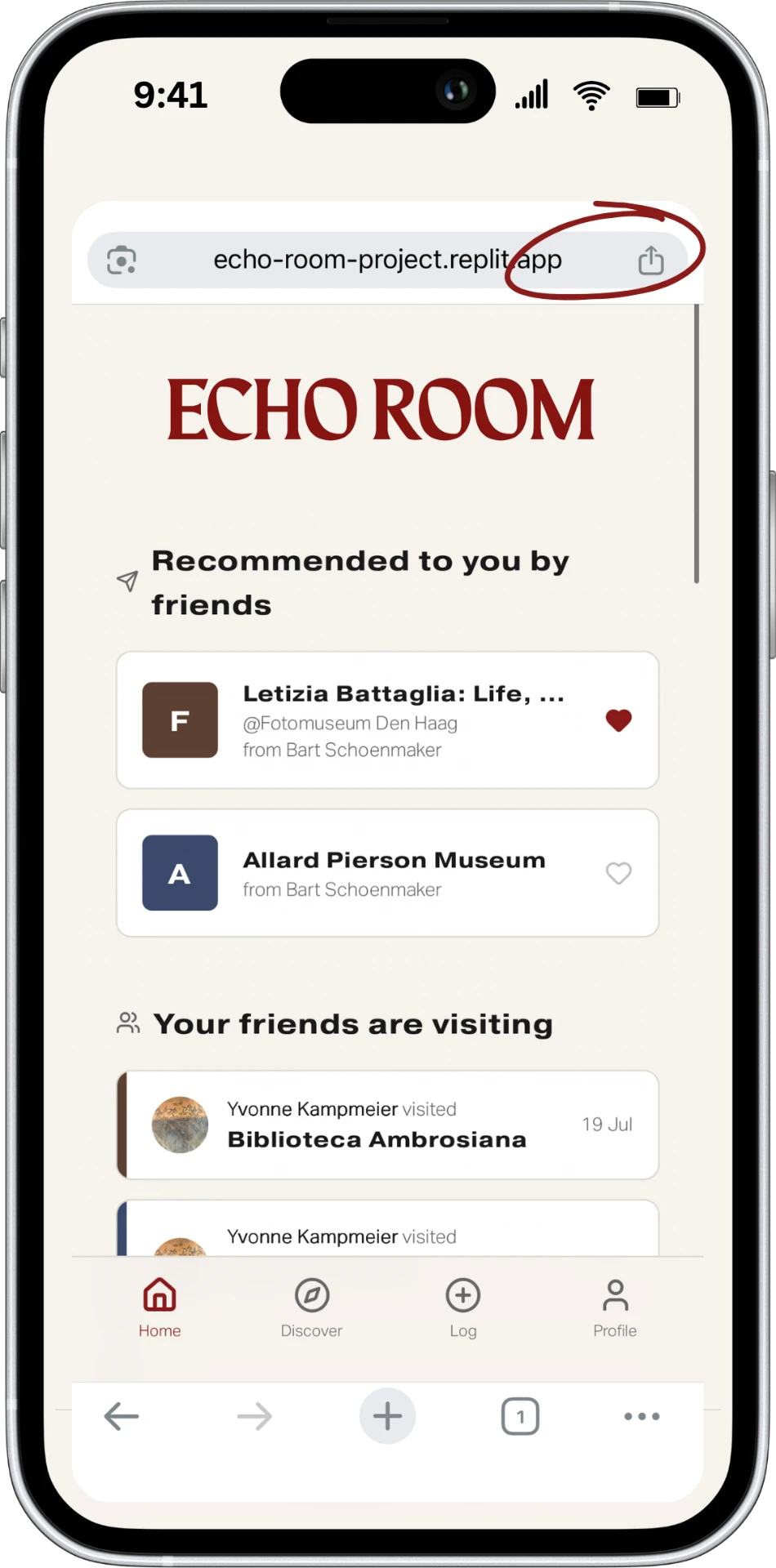
2
click on
'share'
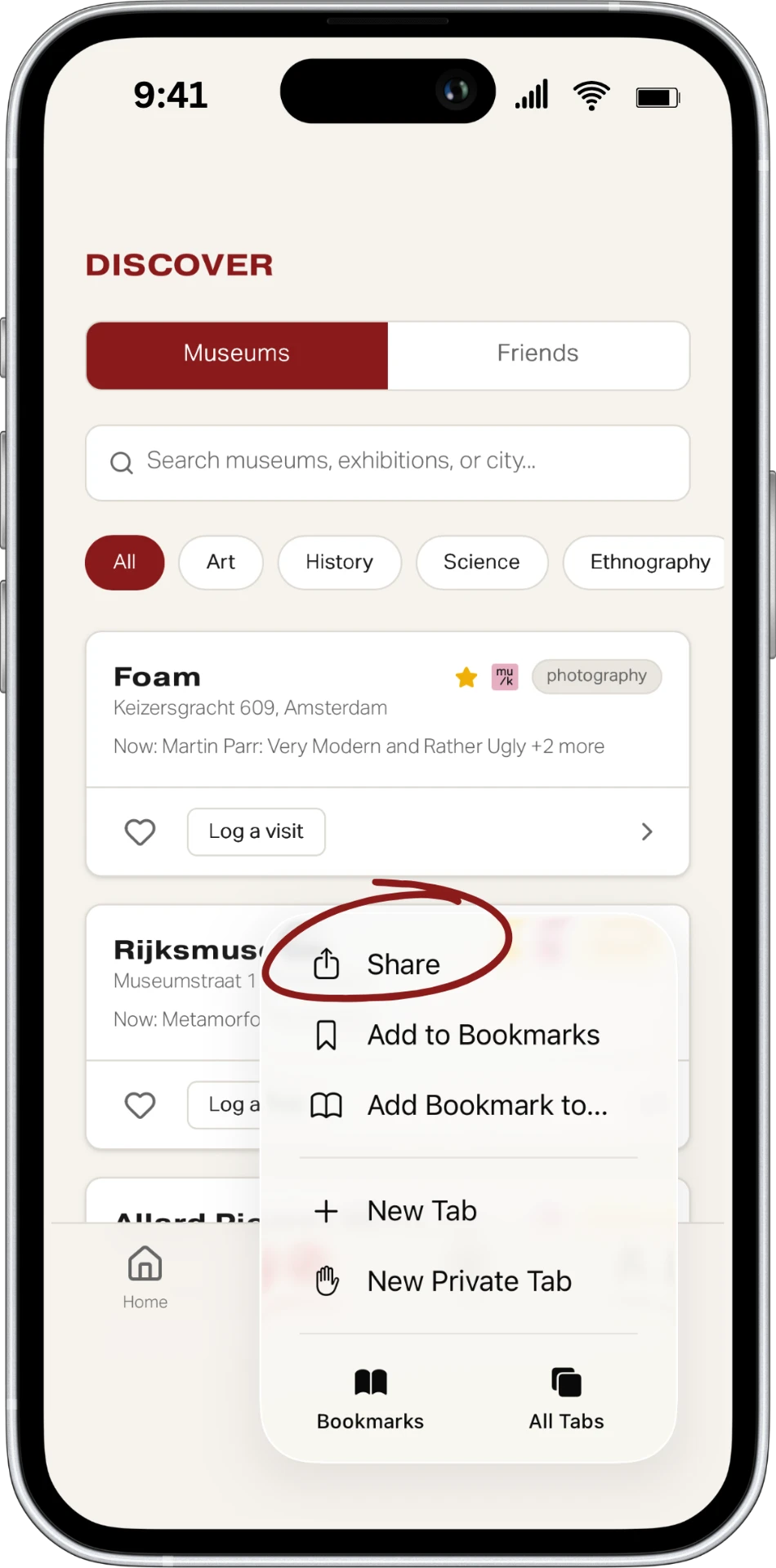
3
click on
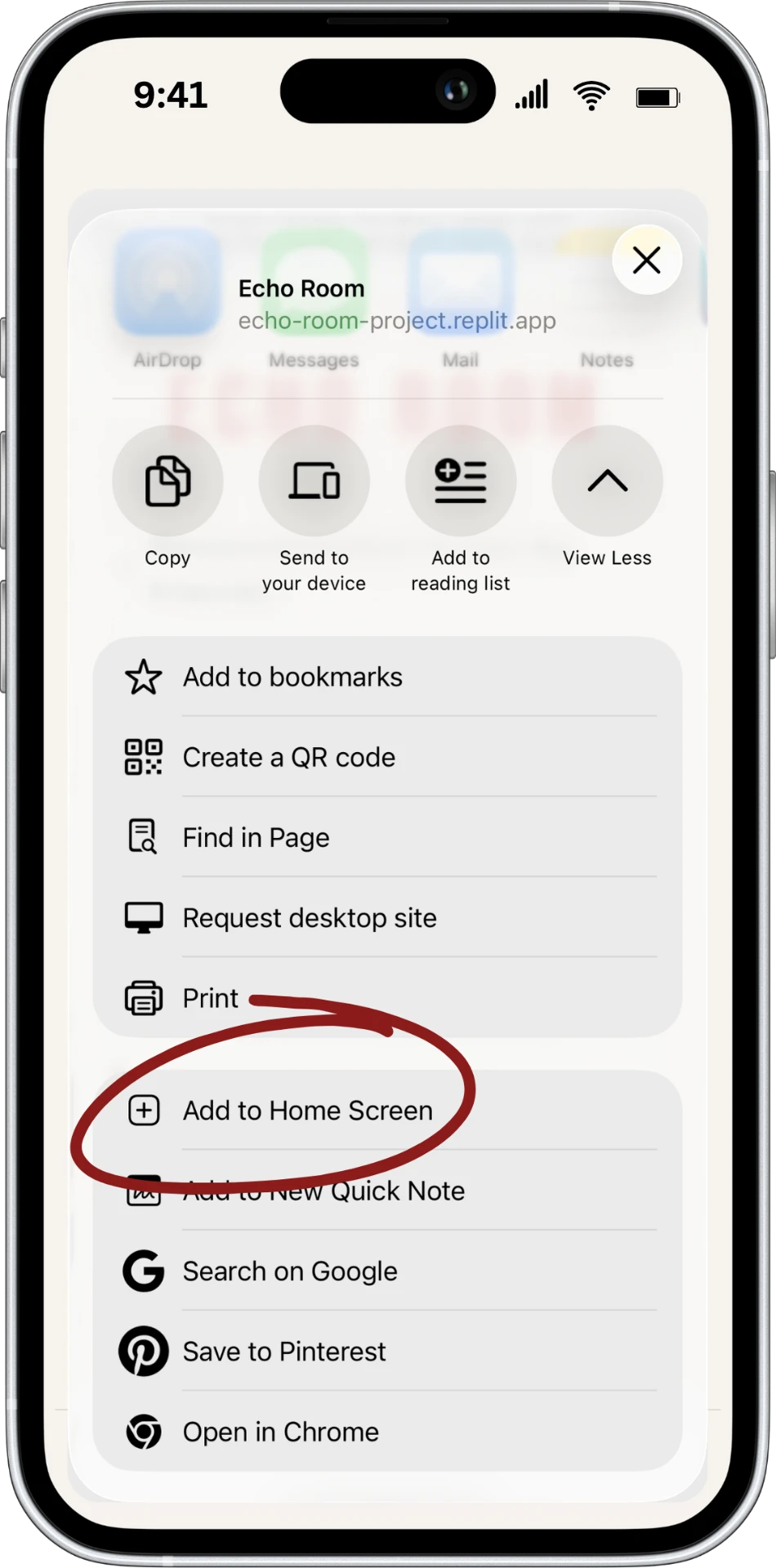
'add to home screen'
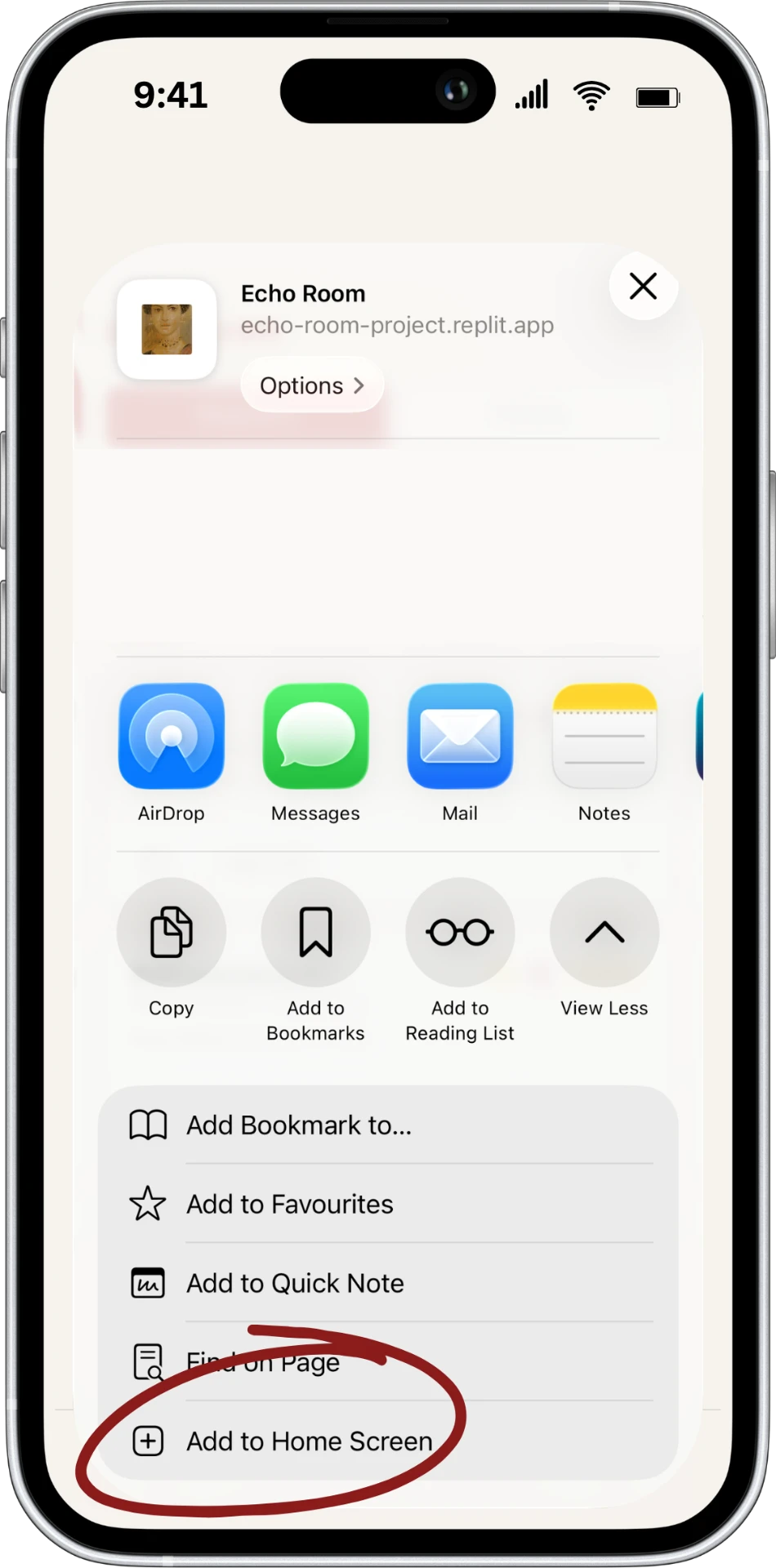
Add to Homescreen with Chrome
1
click on
share
2
click on
'view more'
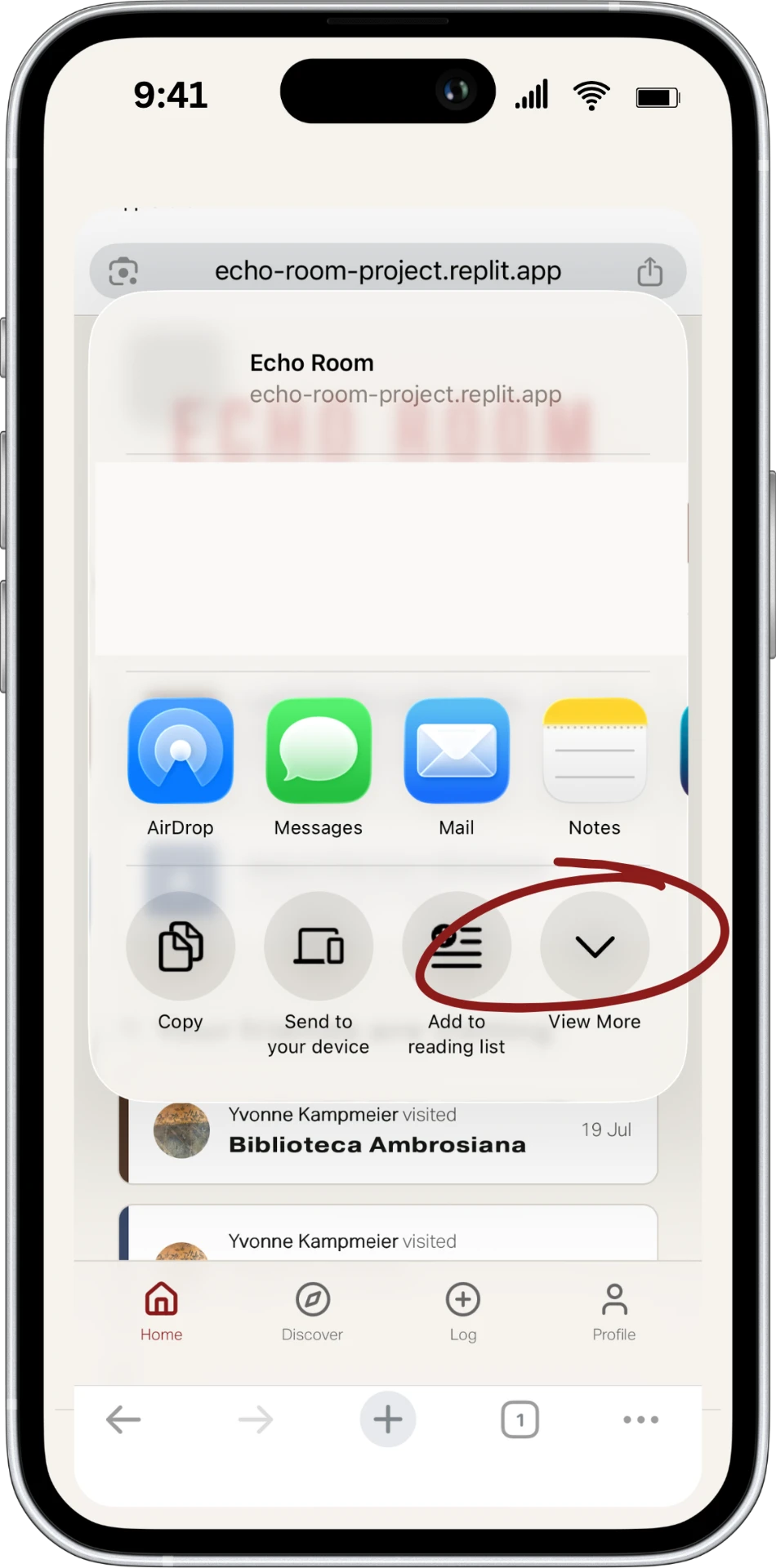
3
click on
'add to home screen'